What's New in MatrixGold 2.3
MatrixGold 2.3 Update

New Tools
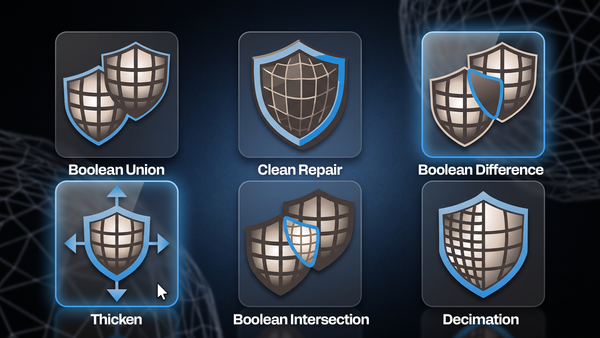
- Mesh Repair: This tool will help jewelers to fix and get their files ready to print.
- Texture 3D: Add textures, taken from any scale of grey image, to any surface.
- Smart Pattern: Use MatrixGold library patterns (or your own ones) to decorate any design.
- Gems between 2 curves: Add different stone sizes to any design, using 2 curves as boundaries.
- Gems list on curve: This is the right tool to use one curve as a reference to add different stone sizes.
New Improvements
- Signet Ring Side profile: New Signet Ring with more functionality, more controls on the side profile to achieve a big range of different shapes.
- Head new prongs options: 2 and 3 prongs options added to the Head tool.
- Rendering using Alpha Channels: Renders can be made by parts with different settings and put them together later with any photo editor.
- Animation Studio: Added Camera Alignment preference to allow Animation Camera to align with the Curve, Reverse, Perpendicular, or Reverse Perpendicular.
New Features
- Save as default Style: Set as default the most used customer´s settings on each tool.
- Save custom materials in Render Studio: Apply any changes to the default render materials, save, and use them later.
- Import old profile from Matrix: With this tool, Matrix users can import their Matrix profiles to MatrixGold in just one click.
- Profile Placer: New logic when placing profile on a curve.
Tool Adjustments
- Pave Prongs: New logic on prongs around borders.
- Profile Placer: Changed the shift step on from 0.05 to 0.125.
- Head: Added 3 Prong Head Setting to Head Command.
- Head: Added Mouse Wheel Horizontal Scrolling to Head Prong Layout List.
- Micro Prong Cutter: Reversed which side is small and which is big for the auto taper.
- Jali: Added 50 new Patterns to Pattern Library for the Jali Command.
Additions
- Added logic to allow double-clicking on a .3dm to open MG and Open the file if .3dm is associated with MatrixGold.
- New Higher Contrast Color Scheme for Rhino Viewports and fixes to Dark Rhino Panel Colors.
- Cam Submission link added to FILE MENU.
- Multi-User Windows Login Support by moving Application Settings to User Specific location.
- Default Style Sheet feature for Dynamic Commands now allows users to Save Default Values for each time they run a Dynamic Command.
- Added Korean Language Translation.
- Updated Japanese Language Translation.
- Added Drag-n-drop to Display Modes Panel, to allow reordering the Display Mode buttons.
- Added UI to Add Profile to Library to show Preview of Profile and validate Profile before adding.
- Added Reset button to Dynamic Commands preferences to restore default Dynamic Command settings.
- Added Top, Front, Side, and Perspective Views to Collections Content Library.
- Added New Troubleshooting Window when Security Update or Internet Connection Fails.
- Added JPG/PNG Render Option to gvBatchRender command.
- Added ESC to abort gvBatchRender processing.
- Render Studio: Materials Panel now default to Grid View rather than List View.
- Render Studio: Custom Render Passes Option added to allow any specific number of Render Passes.
- Render Studio: Added Custom Render Materials Saving and Importing from the Render Material Context Menu and Import Button.
Changes
- Improved UI Reset in Troubleshooting Preferences to also reset Font Size setting.
- Changed Tech Report Button Icons to be more easily read on Tech Report.
- Improved Print View of Tech Report, hiding buttons etc.
- Adjusted Active Dynamic Command Colors to allow text and icons to be more visible.
- Enlarged Dynamic Command Kebab Menu for improved visibility.
Bug Fixes
- Fixed bug with Quick Commands and Recent Commands not executing Builders.
- Fixed F6 Commands throwing Exceptions, caused by bug in Recent Commands logic.
- Fixed some Static Matrix Commands Not Executing in Ribbon Bar.
- Fixed Viewport Titles to be more in Contrast to Window.
- Fixed Dark Text on Dark Panels in Rhino.
- Fixed Major Minor Grid Lines not Contrasting Enough.
- Fixed Foreground/Background contrast issue with Color Picker in Render Materials Editor.
- Fixed Animation Presets not working for some users.
- Fixed bug with profile width on profile placer tool.
- Fixed a bug where two-word gems would throw error when setting from UI.
- Fixed a bug where non-English language Project Files were saving Dates Incorrectly causing Errors on Startup.
- Fixed a lockup issue some users experienced while generating the Gem Map.
- Fixed a bug where Gem on Ring Rail would flip if the tangent at start would return a bad vector.
- Fixed an issue where a missing Rhino Viewport Mode would cause issues with MatrixGold.
- Fixed an issue causing Tech Report not to function in some scenarios.
- Fixed a bug where the Save As menu option was not starting in the current Project Folder.
- Fixed a bug where Saving a Stylesheet would also save Dynamic Command Related Objects, causing builder to always start with the object.
- Fixed RibbonBar Scrolling on Hover.
- Fixed RibbonBar Not Reducing Size when Text/Icons Removed.
- Fixed Status Bar Snap Toggles focus issues preventing keystrokes from working in Rhino.
- Fixed Ribbon Config Button Orientations when Ribbon Height Changes.
- Fixed issues with Render Gem Material sliders for Hue, Saturation, and Luminance not always working.
- Fixed a bug with Profile Editor when trying to save a profile, profile was not saved in some scenarios.
- Fixed a bug with GemView was not working when Rhino Viewports are named different from our default.
- Fixed a bug where Security Update would fail if a long running Rhino calculation took more than 1 minute.
- Alpha Transparency to Render Materials
- Custom Render Passes
- Gem List on Curve
- Gem Between 2 Curves
- Added Quick Context Menu to Right+Click on Dynamic Commands
Using the Quick Context Menu you can set a Default Style Sheet, Open the Style Contect Browser, Clear a Default Style; Hide and Show the Dynamic Command Output, and Rename or Delete a Dynamic Command. - Add Profile to Library
Added Preview UI when adding a custom Profile. Also now validating whether profiles are open or closed to the specified Profile Library (Shank, Bezel, etc.)