Matrix vs MatrixGold: Understanding the Shift in Jewelry CAD Workflows
Understand the real workflow differences between Matrix and MatrixGold, from parametric design and customization to rendering, quoting, and migration.

From Matrix to MatrixGold: A Professional Transition Guide
For many professional jewelry designers, Matrix has been a trusted production tool for years. It is capable, familiar, and proven. However, as custom work, retail expectations, and customer involvement have evolved, so have the demands placed on CAD software. The transition from Matrix to MatrixGold is not simply an upgrade in tools—it represents a fundamental shift in how jewelry is designed, modified, presented, and sold.
From Linear Modeling to Change-Resilient Design

Matrix does not allow for modifications to be made easily; in some cases, when a modification is requested, the user needs to either start the model from scratch or spend a lot of time making those modifications.
MatrixGold approaches the same process differently. It treats geometry as the result of editable design decisions. Finger size, ring rails, profiles, stones, and prongs remain connected through parametric history. This means the model is never truly "finished" until the designer decides it is. At any point, changes can be introduced, and the design regenerates automatically, preserving proportions, relationships, and design intent.
This difference becomes most visible not when building the first version of a ring, but when the second, third, or fourth change is requested.
Key highlights
- Matrix is not parametric which makes all modifications way more tedious than in MatrixGold.
- Parametric history preserves design intent throughout the process.
- Late-stage changes no longer require rebuilding geometry.
- Parametric functionality can be switched off as needed.
Finger Size, Ring Rails, and Structural Integrity
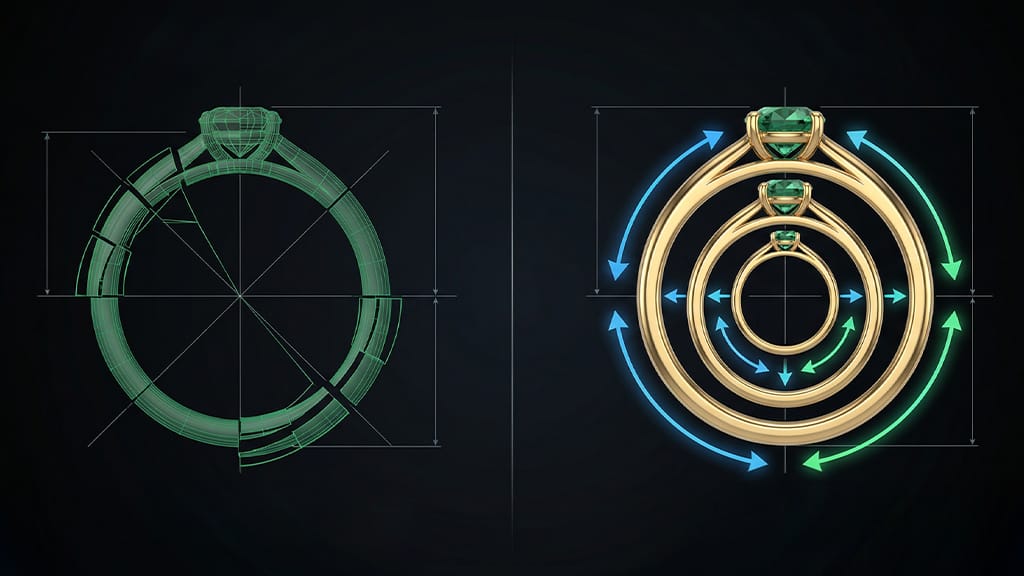
A simple finger size change highlights the contrast between the two systems. In Matrix, changing a finger size after the shank and settings are built usually requires removing the existing ring rail, recreating it, and re-running sweeps and dependent features. While possible, it adds time and increases the risk of small inconsistencies.
In MatrixGold, finger size is a parametric value. When it changes, the ring rail updates, and everything will update as long as they are parametric commands. No rebuilding is required. This is not only a time saver but also a reliability improvement. The software actively protects the design from becoming structurally invalid as dimensions change.
Key highlights
- Finger size remains editable at any stage.
- Ring rails and dependent geometry regenerate automatically.
- Structural errors caused by resizing are significantly reduced.
Profiles and Shank Development as an Ongoing Process
In traditional Matrix workflows, profiles define the shank early in the process. While some edits are possible later, larger profile changes often require re-sweeping surfaces. Designers therefore tend to commit to shank proportions early to avoid rework.
MatrixGold removes this pressure. Profiles remain editable and interchangeable throughout the design process even after a Boolean operations. A designer can experiment with different shank shapes, heights, or tapers late in the workflow while stones and prongs continue to follow the updated geometry in real time. This encourages exploration and refinement rather than early compromise.
Key highlights
- Profiles remain flexible throughout the design process.
- Shank changes propagate in real time.
- Designers can refine proportions without restarting.
Stone Behavior: Independent Objects vs. Context-Aware Components
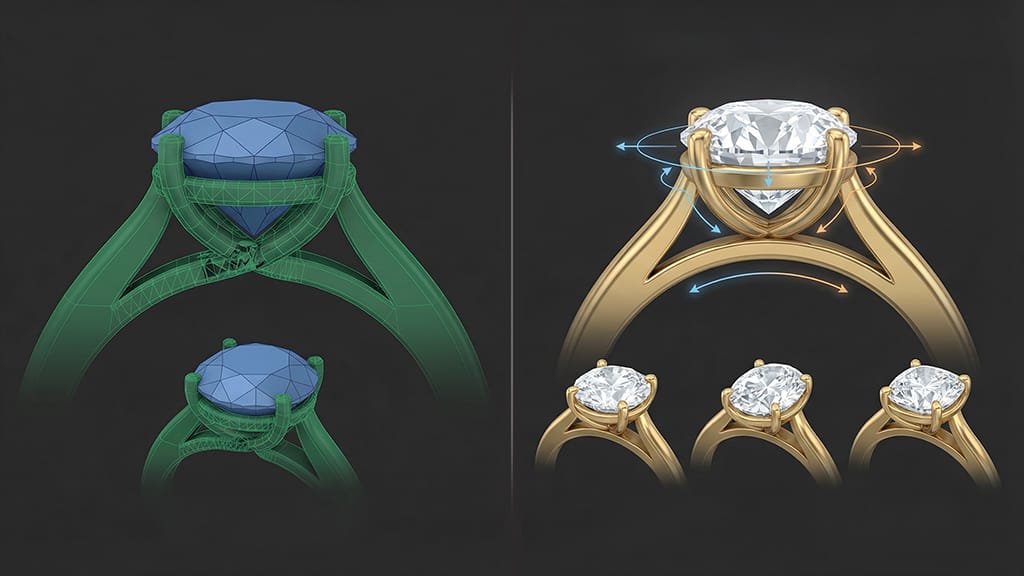
In Matrix, there is no way to ensure the stone will not intersect with the finger rail. In MatrixGold, however, we do have specific tools for that.
MatrixGold introduces contextual awareness. Stones understand their relationship to the ring rail and surrounding geometry. When a stone is resized or swapped from round to oval, cushion, or princess, the system prevents it from penetrating the finger rail. This is particularly important in custom work, where late stone changes are common and production errors can be costly.
By embedding these relationships into the model, MatrixGold shifts error prevention earlier in the process—before manufacturing or customer approval.
Key highlights
- Some elements, such as settings and bezels, adapt more effectively in MatrixGold than in Matrix.
- Shape and size changes remain production-aware.
- Common setting errors are prevented earlier in the workflow.
Designing With the Customer, Not Just for the Customer
One of the most practical implications of parametric modeling is its impact on customer interaction. Matrix can support customer discussions, but larger changes are often postponed until after the appointment due to the time required to rebuild geometry.
MatrixGold enables live collaboration. Designers can sit with a customer and explore options in real time: adjusting finger size, swapping stone shapes, resizing side stones, or refining the shank profile while the entire design updates instantly. Rendering previews can be generated quickly to visualize different metals or gemstones without interrupting the conversation.
This transforms the design appointment from a presentation into a co-creation experience. Customers see their feedback applied immediately, which builds confidence and reduces revision cycles.
Key highlights
- Real-time edits during design appointments.
- Faster approvals and fewer revision cycles.
- Stronger customer engagement through live visualization.
Variations Without File Proliferation
In Matrix, offering multiple variations often means creating multiple files. Each version becomes a separate model that must be tracked, updated, and quoted individually.
MatrixGold allows one well-built parametric model to generate many outcomes. Designers can maintain a single source model and produce controlled variations by adjusting parameters. This is especially valuable for engagement rings, bridal collections, or retailers offering tiered pricing options based on stone size or metal choice.
For teams, this also enables a scalable workflow: senior designers build robust parametric foundations, while junior designers safely generate variations without risking the integrity of the design.
Key highlights
- One parametric model supports multiple variations.
- Consistency across design options is maintained.
- Ideal for bridal, customization, and tiered pricing strategies.
Rendering as Part of the Design Workflow
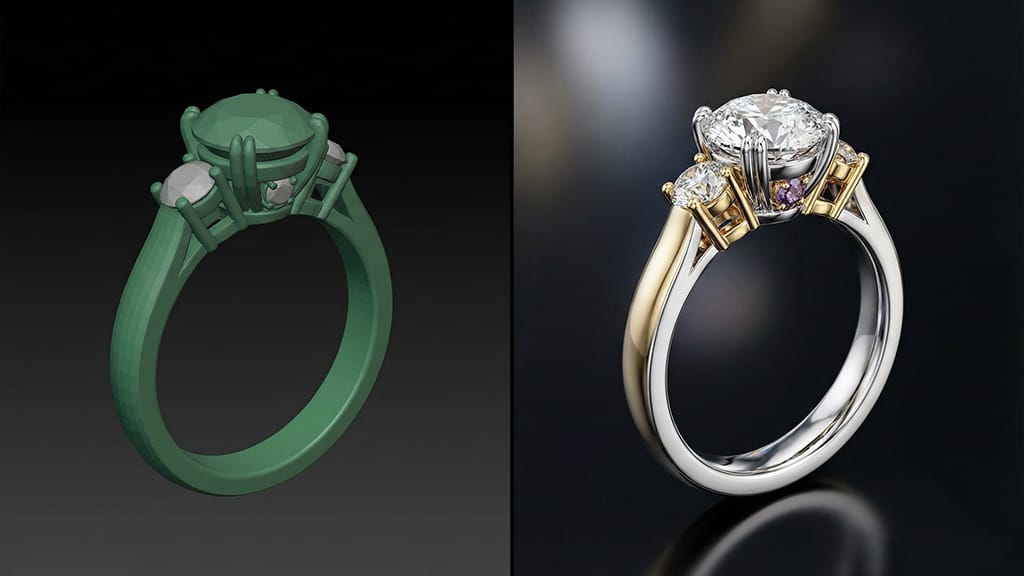
Rendering in Matrix has traditionally been a downstream step, often reserved for marketing visuals or final approval. The older rendering engine and slower feedback make it less practical for frequent iteration during design sessions.
MatrixGold integrates a modern rendering environment that supports quick previews and material changes while the design is still evolving. Designers can switch between white, yellow, or platinum metals, adjust gemstones, and update backgrounds in seconds. Rendering becomes a decision-making tool rather than a separate production task.
Additionally, MatrixGold includes an image and animation generation tool that offers a wide range of metals and gemstones, along with advanced lighting presets optimized to showcase designs with exceptional realism—in just seconds.
Key highlights
- Rendering becomes a decision-support tool.
- Faster previews with modern materials.
- Improved gemstone realism and metal differentiation.
Reporting, Quoting, and Business Efficiency
Once a design is approved, clear technical documentation is essential. Matrix provides access to metal weights and gem maps, but these outputs are separate and often require manual assembly to create a customer-ready quote.
MatrixGold consolidates this information into a single, structured report that includes metal data and gemstone details. This report can be saved, printed, or emailed directly, allowing designers or sales teams to move from design approval to quoting without delay. In retail environments, this speed and clarity directly impact conversion rates.
Key highlights
- Consolidated technical and gem reporting.
- Faster, more transparent quoting.
- Improved retail and sales efficiency.
Transitioning Without Losing Your Work
A major concern for long-time Matrix users is the fear of losing years of files, profiles, and custom parts. MatrixGold directly addresses this with a dedicated Legacy Matrix Migration Wizard. This tool imports existing Matrix projects, including custom profiles and user-built assets, into MatrixGold. Individual Matrix files can also be opened and converted as needed.
Importantly, MatrixGold includes Rhino internally, ensuring compatibility at the file level. Designers are strongly encouraged to back up their data before migration, but the process is designed to preserve existing work rather than replace it.
This makes the transition evolutionary, not disruptive.
Key highlights
- Existing Matrix files and profiles are preserved.
- Dedicated migration tools support safe transition.
- Rhino compatibility ensures file-level continuity.
Familiarity, Customization, and Learning Curve
While MatrixGold introduces new concepts, it does not abandon familiarity with Matrix. Commands are categorized in recognizable ways, and parametric tools are clearly identified. The interface is fully customizable, allowing users to arrange panels or reset layouts to suit their preferences.
Parametric modeling itself is not automatic—it is a skill. MatrixGold rewards intentional modeling, but it also allows designers to adopt parametrics gradually. Users can choose when to retain full parametric history and when to simplify files for archiving or manufacturing.
Extensive Academy content, forums, and tutorials are available specifically for Matrix users transitioning to MatrixGold, reinforcing that adoption is supported, not left to trial and error.
Key highlights
- Familiar UI with customizable layouts.
- Gradual adoption of parametric workflows.
- Extensive Academy and support resources.
A Change in Mindset, Not Just Software
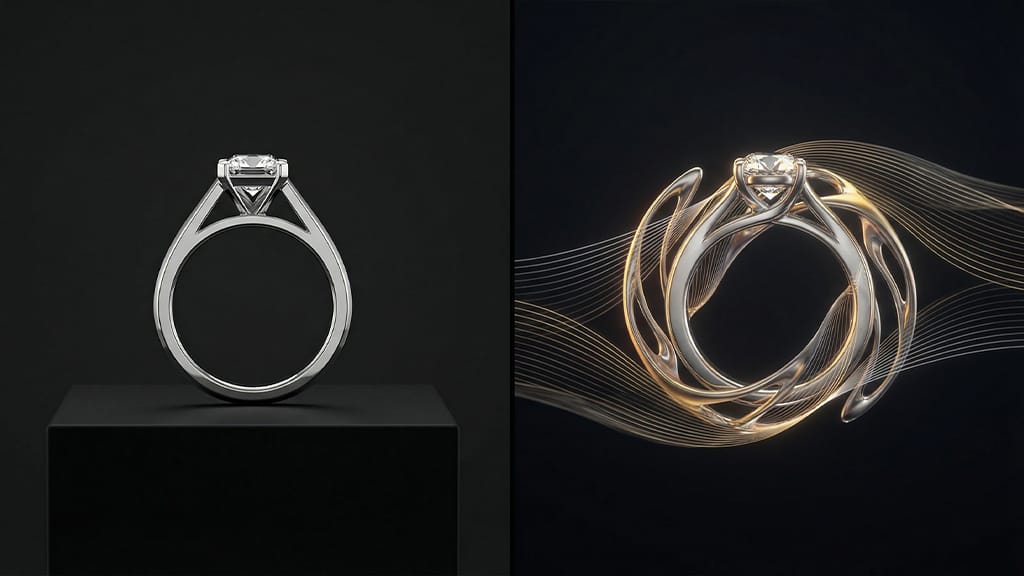
Matrix and MatrixGold can both produce beautiful, manufacturable jewelry. The difference lies in how they handle change.
MatrixGold excels when designs evolve—when customers change their minds, budgets shift, stones are swapped, or proportions need refinement late in the process.
Ultimately, MatrixGold reflects a modern jewelry workflow: iterative, customer-centric, and adaptable. For designers and businesses operating in this reality, the transition is less about learning new tools and more about gaining a system that works the way custom jewelry design actually happens today.
Key highlights
- Matrix focuses on final geometry.
- MatrixGold focuses on managing change.
- Better alignment with modern custom jewelry workflows.
Manufacturing Standards
In MatrixGold it's really easy to generate files to be used as reference. For example, you can have models for pave settings, bezels, channel settings. Then, when you need to use them, you can simply import the parameters in that previously created file into the new one. You can even share this model across your company for all the designs to use. This process removes human error and speeds the entire design process. In Matrix this is not possible—it's an entirely manual process.
Key highlights
- Reusable parametric templates for common settings.
- Company-wide design standards can be shared.
- Reduces human error and accelerates production.
- Manual processes in Matrix are replaced by automated parameter imports.